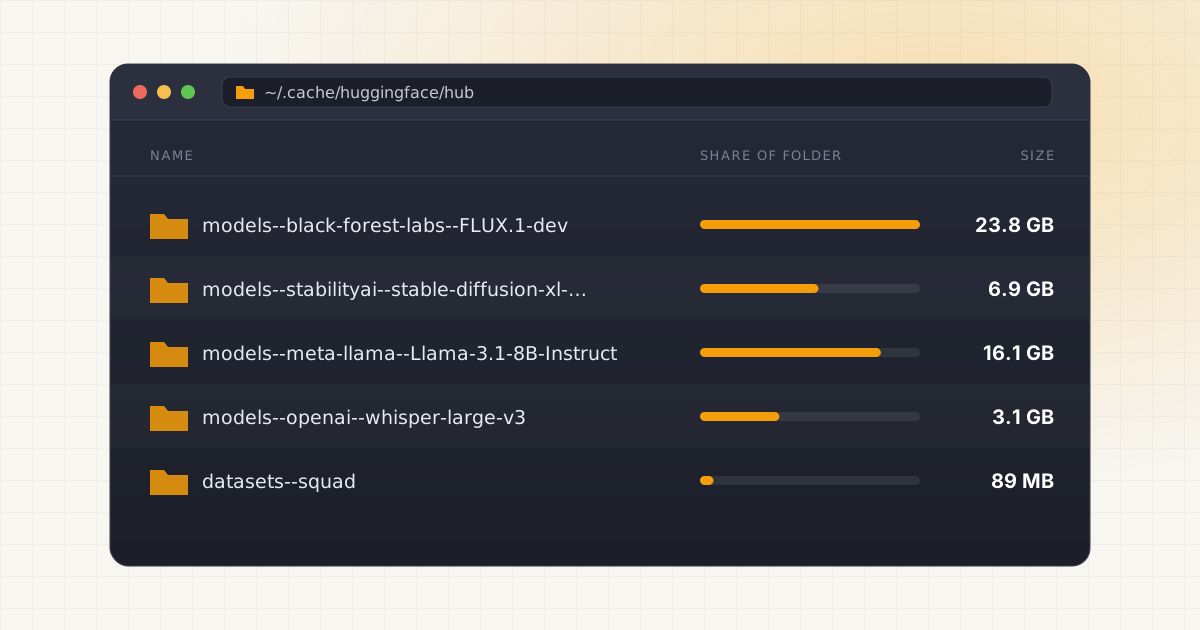
Run one Python script that calls from_pretrained(), and Hugging Face has already started building a folder tree on your disk that you'll probably never look at again. Multiply that by every tutorial, every Whisper transcription job, and every sentence-embedding experiment you've ever run, and it's easy to end up with 40 or 50 GB of models sitting quietly on a Mac you thought was almost full for no reason.
Hugging Face doesn't ask before caching anything. It just downloads, stores, and moves on.
Key takeaways
- Hugging Face caches every downloaded repo in
~/.cache/huggingface/hubby default, or whereverHF_HOMEorHF_HUB_CACHEpoints. - Each cached repo splits into
blobs(actual file bytes),snapshots(symlinks per revision), andrefs(branch-to-commit mapping). - Deleting the wrong piece either frees no space or breaks a script that expects the file to exist.
- The
hf cache lsandhf cache rmcommands let you inspect and remove cached models safely from the terminal.
The fast answer
By default, Hugging Face keeps its local cache at ~/.cache/huggingface/hub. This is a hidden directory (the leading dot means Finder won't show it unless you ask), and it's where huggingface_hub, and everything built on top of it, stores every model, dataset, and space repository it downloads. According to the official cache management guide, that default path is customizable in three ways: pass a cache_dir argument in code, or set either the HF_HOME or HF_HUB_CACHE environment variable.
Those two variables aren't the same thing, and mixing them up is a common source of confusion. HF_HOME is the broader setting: it defaults to ~/.cache/huggingface and controls where everything lives, including your auth token and Xet chunk cache, not just models. HF_HUB_CACHE is narrower and defaults to $HF_HOME/hub. Set HF_HOME to point somewhere else (an external drive, for instance) and the hub cache, assets cache, and token file all move with it. The environment variables reference spells out the defaults for each. Each downloaded repo can easily reach 1 to 50 GB depending on the model, and this is by design: caching means you don't re-download the same weights every time a script runs.
Why it's not as simple as deleting a folder
The cache isn't organized by file. It's organized by repository, and each repository folder follows a fixed skeleton. Inside ~/.cache/huggingface/hub, you'll find directories named things like models--bert-base-cased or datasets--glue (the double dash separates repo type, namespace, and name). Open one of those, and per the manage-cache guide, you'll see up to four subfolders:
- blobs: the actual downloaded file content. Each file is named after its content hash, not its original filename.
- snapshots: one folder per revision (commit), containing symlinks that point back into blobs, named with the real filenames like
config.jsonorpytorch_model.bin. - refs: small files that map a branch name (usually
main) to the commit hash it currently resolves to. - trees: a cached JSON listing of what files exist at a given commit, so re-downloading an already-cached commit costs one network call instead of one per file.
Why does this matter if you're just trying to reclaim disk space? Because deleting the wrong layer does nothing useful. Delete only the symlinks in snapshots and the multi-gigabyte blob files are still sitting there, untouched, still eating disk space. Delete the blobs but leave the symlinks and you get broken links: any tool that tries to open pytorch_model.bin now fails, often with a confusing error that has nothing to do with disk space.
Inside the cache: a worked example
The official docs use a small model called julien-c/EsperBERTo-small to illustrate the structure, and it's worth walking through because it makes the abstract description concrete. After downloading a README.md and a pytorch_model.bin at revision 2439f60e..., the folder looks roughly like this:
models--julien-c--EsperBERTo-small/
├── blobs/
│   ├── 403450e2...  (321M, the actual model weights)
│   └── d7edf6bd...  (1.4K, the actual README content)
├── refs/
│   └── main
└── snapshots/
    └── 2439f60e.../
        ├── README.md -> ../../blobs/d7edf6bd...
        └── pytorch_model.bin -> ../../blobs/403450e2...
Source: Hugging Face cache management guide. Notice that the filenames a script actually opens, README.md, pytorch_model.bin, live only in snapshots, as symlinks. The real bytes live in blobs, named by hash. If a second revision of the same repo reuses an unchanged file, its symlink in the new snapshot folder points at the same blob, so the file isn't downloaded twice. That's the entire point of the design: multiple revisions can share storage for files that haven't changed.
One more wrinkle worth knowing about: on Windows machines without symlink support enabled, this split doesn't happen. Files get copied directly into snapshots instead, which uses more disk space but keeps everything working. On a Mac, symlinks work natively, so you'll always see the full blobs and snapshots split.
Want to skip the hidden-folder hunt?
LLM Cleaner scans your Mac for local AI models, caches, indexes, and project memory — then shows what you can review, reveal, export, or safely move to Trash.
The shared cache problem
The Hugging Face cache is shared across every tool and script on the machine, not scoped per-project. Transformers, Diffusers, Sentence Transformers, Whisper, and any other library built on huggingface_hub all read and write to the same ~/.cache/huggingface/hub directory. Downloaded a model for a one-off experiment six months ago? It's sitting in the exact same place as the model your active project imports every time it runs. Nothing in the folder structure tells you which is which.
This is the same pattern that shows up across most local AI tooling on macOS, where local AI agents quietly fill up storage because caching is the path of least resistance for tool authors. Ollama has its own separate cache with its own layout (see where Ollama stores its models), and LM Studio maintains yet another one (covered in what's taking up space in LM Studio). None of these caches know about each other, so the same base model can genuinely end up downloaded three or four separate times through three or four separate tools, each one convinced it's the only copy.
Scanning and cleaning the cache with the CLI
Hugging Face ships an official CLI for exactly this problem, and it's worth learning before you touch anything by hand. The current tool is called hf (older tutorials reference huggingface-cli scan-cache and huggingface-cli delete-cache, which still work in older versions but have been consolidated into hf cache subcommands). Run hf cache ls and you get a per-repo breakdown:
➜ hf cache ls
ID                                   SIZE   LAST_ACCESSED LAST_MODIFIED REFS
model/bert-base-cased                  1.9G  1 week ago    2 years ago
model/t5-small                        970.7M  3 days ago    3 days ago    main
That output alone answers the question most people actually have: which of these repos have I not touched in a year? Add --revisions to see individual snapshots rather than repo totals, or chain a filter like hf cache ls --filter "accessed>1y" to isolate anything untouched for over a year. To actually free space, hf cache rm model/bert-base-cased deletes the entire repo (blobs, snapshots, and refs together, so nothing is left dangling), and hf cache prune cleans up unreferenced revisions and leftover .incomplete files from interrupted downloads. All of it is documented in the official CLI guide, including a --dry-run flag that shows exactly what would be deleted before you commit to it.
Compare that to going in with Finder and manually deleting folders you don't recognize. The CLI at least understands the blobs/snapshots relationship and won't leave you with broken symlinks. It still won't tell you whether a coding assistant's cache (see cleaning local AI models without breaking your setup) or an Ollama model depends on the same underlying weights, because that's outside its scope entirely.
Before you clean anything
The safe approach is to see the full picture first, not just the Hugging Face slice of it. Which repos are cached, how large each one actually is, when each was last accessed, and which ones are wired into a project you're still using versus leftovers from an experiment you abandoned in March. hf cache ls answers this for the Hugging Face cache specifically, but most people running local models have several caches stacked on top of each other: Hugging Face, Ollama, LM Studio, maybe a coding assistant or two. Checking each one separately, with a different tool and a different mental model each time, is exactly the kind of tedious, error-prone process that leads to either giving up or deleting something you needed.
Not sure what is safe to delete?
LLM Cleaner separates models, rebuildable caches, and project memory so you do not treat everything like junk.
Frequently asked questions
Where exactly does Hugging Face store models on a Mac?
By default, in the hidden folder ~/.cache/huggingface/hub. Each downloaded repository gets its own subfolder named models--{namespace}--{name}, split internally into blobs, snapshots, and refs. You can change this location by setting the HF_HOME or HF_HUB_CACHE environment variable before running any Hugging Face code.
Is it safe to delete the entire ~/.cache/huggingface folder?
It's safe in the sense that everything will simply re-download the next time it's needed, but note that your access token also lives under HF_HOME by default (at $HF_HOME/token). Deleting the whole folder means logging in again. For selective cleanup, hf cache rm is a better tool since it targets specific repos.
What's the difference between HF_HOME and HF_HUB_CACHE?
HF_HOME is the parent directory for everything Hugging Face stores locally: models, your auth token, and the Xet chunk cache. HF_HUB_CACHE is narrower and controls only where model, dataset, and space repos are cached, defaulting to $HF_HOME/hub. Setting HF_HOME moves both; setting only HF_HUB_CACHE moves just the model cache.
Will Hugging Face just re-download models I delete?
Yes, that's the expected behavior. The cache exists purely as an optimization: nothing in it is required to exist. If a script asks for a model whose blobs you deleted, huggingface_hub re-downloads it from the Hub, rebuilds the blobs/snapshots structure, and continues. The only real cost is time and bandwidth on the next run.
Does deleting cached files break the symlinks other tools rely on?
It can, if you delete blobs while leaving the snapshot symlinks in place. Those symlinks point at specific blob files by hash, so removing the blob without removing the symlink leaves a broken link that fails at load time. This is exactly why the CLI tools (hf cache rm, hf cache prune) exist: they remove both halves together instead of leaving orphaned references behind.