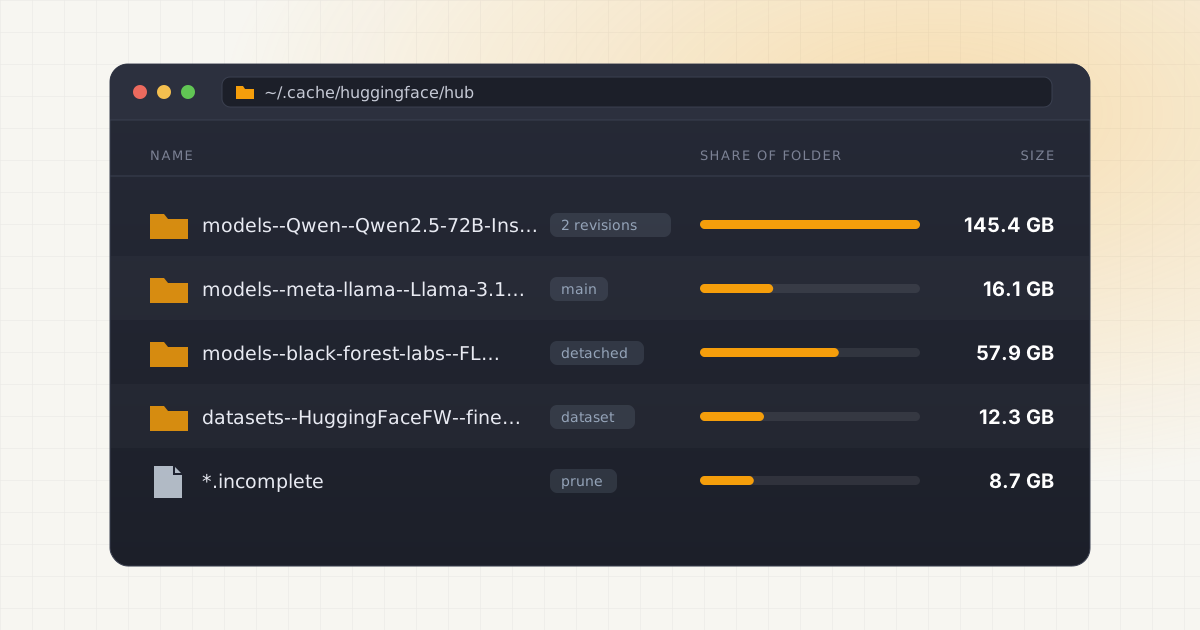
vLLM, Transformers, Diffusers and hf download all put their weights in one place on Linux: ~/.cache/huggingface/hub. It's convenient until the root partition hits 100% and you find 300GB in a folder you never opened.
The quick answer: run hf cache ls to see what's using space, hf cache prune to remove old revisions and interrupted downloads, and hf cache rm model/<org>/<name> to delete whole models. Don't delete snapshots/ folders by hand. They're mostly symlinks, and the real data sits in blobs/. To keep the cache somewhere else, set HF_HOME or HF_HUB_CACHE. Source
Key takeaways
- The cache lives at
~/.cache/huggingface/hubunlessHF_HUB_CACHE,HF_HOMEorXDG_CACHE_HOMEsays otherwise. - Each repo folder has
blobs/(the actual files),snapshots/(symlinks, one folder per revision) andrefs/(which revision a branch points to). - The old
huggingface-cli scan-cacheanddelete-cacheinstructions are out of date.huggingface_hubv1.0 removedhuggingface-cli. Usehf cache ls,hf cache rmandhf cache prune. - Updated models keep their previous revision on disk.
hf cache pruneremoves those detached revisions. - Moving the cache is one environment variable, plus the same path in any Docker
-vmount.
Where the cache is, and who uses it
Hugging Face's docs describe the hub cache as "the central cache shared across libraries that depend on the Hub". Source On Linux that means:
- Transformers caches models in
~/.cache/huggingface/hub, usingHF_HUB_CACHE, thenHF_HOME, thenXDG_CACHE_HOME+/huggingface. Source - vLLM downloads to the same place. Its
--download-dirflag defaults to "the default cache directory of Hugging Face". Source - vLLM in Docker uses it too, if you mount it the way vLLM's docs show:
-v ~/.cache/huggingface:/root/.cache/huggingface. Source - DGX Spark playbooks. NVIDIA's vLLM playbook for the Spark downloads weights with
hf download, so they land in the hub cache, and notes that model files stay on the device after the container stops. Source
Not everything in ~/.cache/huggingface is model weights. The full layout looks like this:
| Path | What it holds | Variable |
|---|---|---|
~/.cache/huggingface/hub | Models, datasets and Spaces from the Hub | HF_HUB_CACHE |
~/.cache/huggingface/xet | Xet shard cache and upload staging | HF_XET_CACHE |
~/.cache/huggingface/assets | Files cached by downstream libraries | HF_ASSETS_CACHE |
~/.cache/huggingface/token | Your access token | HF_TOKEN_PATH |
Source: huggingface_hub environment variables. vLLM's own ~/.cache/vllm is separate and holds compile artifacts, not weights. Source
How the cache is laid out
Every repo gets a folder named after its type and ID, such as models--meta-llama--Llama-3.1-8B-Instruct. Inside: Source
models--org--name/
├── blobs/        # the actual files, named by hash
├── refs/
│   └── main      # text file containing a commit hash
├── snapshots/
│   ├── 2439f60e.../
│   │   └── model.safetensors -> ../../blobs/4034...
│   └── bbc77c81.../
│       └── model.safetensors -> ../../blobs/4034...
└── trees/ # cached file lists per commit- blobs/ holds the bytes. Each file is named by its hash, so a file that didn't change between revisions is stored once.
- snapshots/ has one folder per revision you've downloaded. Each folder contains symlinks with the real filenames, pointing into
blobs/. - refs/ maps branch and tag names to commit hashes. When
mainmoves to a new commit and you download again,refs/mainis updated and a new snapshot folder appears. The old one stays.
Recent huggingface_hub versions add one more layer. Files downloaded through Xet can be stored once in a cache-wide blobs/ folder at the top of the hub cache and symlinked into each repo that uses them, so two repos with an identical file share it. Source
Why deleting snapshot folders doesn't free space
This is the most common mistake. You open snapshots/, see a folder per revision, delete the older ones and check df. Nothing changed.
That's because the snapshot folder only contained symlinks, which are a few bytes each. The weights are in blobs/, and nothing there was touched. You've created orphaned blobs that no snapshot points to, and they'll stay until something cleans them up.
The reverse is worse. Delete files from blobs/ and every snapshot that pointed at them now has dangling links. Transformers or vLLM will fail to load the model, or download it again.
It also explains confusing du output. By default du doesn't follow symlinks, so du -sh snapshots/ reports almost nothing while du -sh blobs/ reports the real size. Measure the whole repo folder, or use hf cache ls, which counts blobs correctly.
The hf cache commands handle this for you. When you delete a revision, they remove the snapshot folder, then delete only the blobs that no remaining revision uses, and remove refs pointing to it. If every revision of a repo goes, the whole repo folder goes. Source There's more on the layout, with Mac examples, in where Hugging Face models are stored.
Step by step: clean the cache with the hf CLI
A lot of guides still tell you to run huggingface-cli scan-cache and huggingface-cli delete-cache. The huggingface-cli command was removed in huggingface_hub v1.0, and the cache commands were rebuilt as hf cache ls, hf cache rm and hf cache prune. Source Install or upgrade first:
pip install -U huggingface_hubIf hf lives in a virtual environment, activate it. Every command below accepts --cache-dir if your cache isn't in the default spot.
1. See what's there
hf cache ls
hf cache ls --sort size:desc --limit 10
This lists each repo with its size, last accessed time, last modified time and refs. Source
2. Find old or unused revisions
hf cache ls --revisions
hf cache ls --revisions --filter "size>1GB" --filter "accessed>30d"
Filters understand sizes and durations, so size>1GB and accessed>30d work as written. Add --format json for scripts.
3. Remove garbage first
hf cache prune --dry-run
hf cache prune
hf cache prune deletes revisions no branch or tag points to anymore, .incomplete files from interrupted downloads, and shared blobs that no cached repo references. hf cache ls only hints at incomplete downloads, so prune is the way to actually remove them. Source
4. Remove models you don't need
hf cache rm model/meta-llama/Llama-3.1-8B-Instruct --dry-run
hf cache rm model/meta-llama/Llama-3.1-8B-Instruct
You can pass several repos, or a bare revision hash. To delete everything not accessed in a year in one go:
hf cache rm $(hf cache ls --filter "accessed>1y" -q) -yReview the list with hf cache ls --filter "accessed>1y" first, since -y skips the confirmation.
5. Remove a single file
GGUF repos often hold many quantizations, and you may have downloaded three. Remove one with an hf:// URI:
hf cache rm hf://models/unsloth/gemma-3-27b-it-GGUF/gemma-3-27b-it-Q4_K_M.gguf --dry-runThe file is removed from every cached revision, and its blob only if nothing else uses it. Source
6. Optional: clear the Xet folder and check integrity
The xet folder holds upload metadata with a 16GB soft limit. Hugging Face's docs say you can remove it entirely to reclaim space: rm -rf ~/.cache/huggingface/xet. To confirm a model you kept is intact, hf cache verify <repo_id> checks local files against the Hub's checksums. Source
Datasets downloaded through the datasets library also keep processed copies in ~/.cache/huggingface/datasets. Check it with du -sh. Source
See the HF cache next to everything else.
LLM Cleaner reads the Hugging Face cache by model name, alongside Ollama, LM Studio and ComfyUI, and flags the same weights stored twice. Trash with one-click restore.
HF_HOME vs HF_HUB_CACHE
Both move the cache. They differ in how much they move.
HF_HOMEmoves the whole Hugging Face folder: the hub cache, the Xet folder, assets and your token. It defaults to~/.cache/huggingface, or$XDG_CACHE_HOME/huggingfaceif that's set.HF_HUB_CACHEmoves only the repo cache. It defaults to$HF_HOME/hub. Your token stays where it was.
Source: huggingface_hub environment variables. Older guides use HUGGINGFACE_HUB_CACHE. It still works but is deprecated and no longer takes precedence over HF_HUB_CACHE.
A sensible default for a workstation is HF_HUB_CACHE on the big data disk and everything else left alone. If you want one variable that moves everything, use HF_HOME. Note that the variables are read when huggingface_hub is imported, so set them before starting Python, Jupyter or vLLM.
Move the cache to a bigger drive
1. Copy it, preserving symlinks. The links inside the cache are relative (../../blobs/...), so they keep working after a move if you copy the tree as-is:
sudo mkdir -p /data/hf && sudo chown $USER: /data/hf
rsync -a ~/.cache/huggingface/ /data/hf/
2. Point the tools at it. Add to ~/.profile or ~/.bashrc:
export HF_HOME=/data/hfOpen a new shell and run hf cache ls. It should list the same repos.
3. Update containers and services. Shell variables don't reach Docker or systemd. Change vLLM's mount to -v /data/hf:/root/.cache/huggingface, and set Environment="HF_HOME=/data/hf" in any systemd unit that runs a model server.
4. Delete the old copy once a model loads from the new location: rm -rf ~/.cache/huggingface. Or replace it with a symlink (ln -s /data/hf ~/.cache/huggingface) so tools that ignore the variable still find it.
Use a Linux filesystem (ext4, XFS, Btrfs) or NFS, because the cache depends on symlinks. If the drive is a NAS share that Windows machines also use, Hugging Face suggests HF_HUB_DISABLE_SYMLINKS=1, which works but stores duplicate files. Source The cache also contains a CACHEDIR.TAG file, which tells backup tools like Borg and restic that it's re-downloadable data and can be skipped. Source
On a DGX Spark, the same approach works with a USB-C SSD or a NAS over 10GbE. See DGX Spark storage for the other folders worth moving on that machine.
Doing it with LLM Cleaner
The hf CLI is good at the Hugging Face cache. It doesn't know about anything else on the disk, and the same model is often also in Ollama, LM Studio or a ComfyUI folder. LLM Cleaner looks at all of them together.
- Reads the cache wherever it is. It honours
HF_HOMEandHF_HUB_CACHEand falls back to~/.cache/huggingface/hub, the cache vLLM and Transformers share. Models are listed by repo name with their real size. - Shows the rest of the machine. The system Ollama service store (
/usr/share/ollama/.ollama/models, also/var/lib/ollama), your own~/.ollama/models, LM Studio, ComfyUI, Whisper, AI coding caches, loose model files, and any custom folder you add. NIM and llama.cpp caches aren't detected automatically yet, so add those folders as custom folders. - Flags duplicates. Files of 50MB or more are compared by size plus a content fingerprint, so a model in the HF cache and the same weights converted into another tool's folder show up side by side. More on that in duplicate AI models across tools.
- Trash first. Removed models go to the freedesktop Trash and can be restored in one click. You can also move a model to another drive and leave a symlink behind.
- Report. Export a Markdown inventory with source, path, size, date and duplicate flags.
It runs 100% locally. Linux builds come as .deb, .rpm and AppImage for x64 and ARM64, including the ARM64 .deb for DGX Spark.
Who this is for
- ML researchers who load many checkpoints with Transformers and rarely go back to delete them.
- People serving with vLLM on a Linux GPU box or a DGX Spark, who try several models and quantizations to find the right one.
- Diffusers and ComfyUI users whose image models come from the Hub and are large.
- Homelab and shared servers, where several users each have their own
~/.cache/huggingfacewith the same models in it.
If the HF cache is the only thing on the disk, the hf cache commands above are all you need. If you also run Ollama or LM Studio, or you aren't sure what's in which folder, a single scan is faster. One $19 license covers two computers on Linux, Mac or Windows. For more ways to save space, such as picking smaller quantizations and sharing one model folder between tools, see free up disk space for local AI.
One view of every model on your Linux machine.
Hugging Face cache, Ollama service, LM Studio, ComfyUI and your own folders. Trash-first with restore. $19 once, two computers.
FAQ
Where is the Hugging Face cache on Linux?
~/.cache/huggingface/hub by default. HF_HUB_CACHE moves just that folder, HF_HOME moves the whole ~/.cache/huggingface tree, and XDG_CACHE_HOME changes the default if HF_HOME isn't set.
Is it safe to delete ~/.cache/huggingface?
Yes, in the sense that nothing breaks permanently. Models download again the next time you load them, which costs time and bandwidth. You'll also remove your saved token, so run hf auth login again afterwards. If you only want to clear models, delete ~/.cache/huggingface/hub instead, or use hf cache rm.
What replaced huggingface-cli delete-cache?
hf cache rm for targeted deletes and hf cache prune for detached revisions and incomplete downloads. huggingface-cli was removed in huggingface_hub v1.0.
Why is my Hugging Face cache bigger than the models I use?
Usually old revisions. When a repo updates and you load it again, the new files are downloaded and the old snapshot stays. Interrupted downloads leave .incomplete files too. hf cache prune removes both.
Does vLLM use the Hugging Face cache?
Yes. It downloads to the Hugging Face cache unless you pass --download-dir. In Docker, mount the host cache into the container or the weights are lost when the container is removed.
Can I share one Hugging Face cache between users?
You can point several users' HF_HUB_CACHE at the same folder, but they all need write access to it, so set group ownership and permissions accordingly. It saves space when everyone uses the same models.